The Bluestone Portal gives your business access to free business finance quotes from a range of leading lenders, helping you compare options, submit applications and manage funding in one place.
Whether you're looking to help your customers spread the cost of a purchase or secure finance for your own business, the Portal is available 24/7 and completely free to use, with no subscription fees or hidden costs.
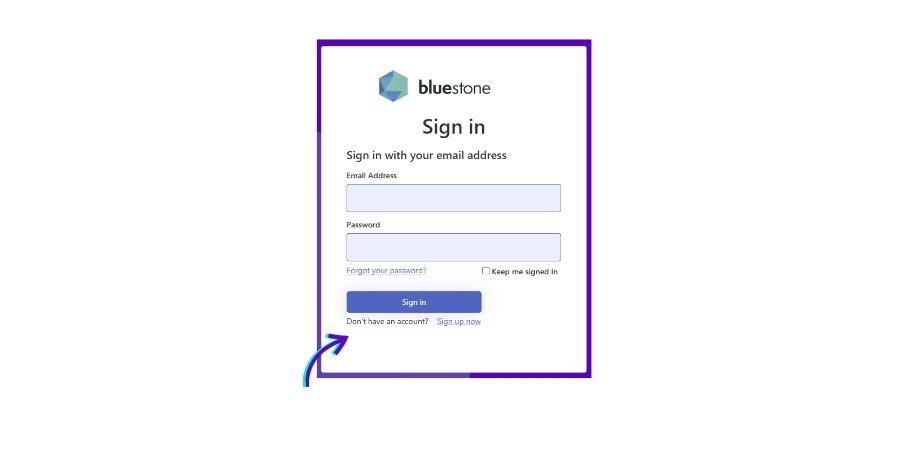
If you're already using the portal, simply log in using your registered email address and password.
If you've changed your mobile device and can no longer access Microsoft Authenticator, please contact our team for assistance with resetting your MFA access.
Step One: Enter your email address and password.
.png)
Step Two*: Select Sign In.
Step Three: Open the Microsoft Authenticator app on your mobile device.
Step Four: Approve the sign-in request or enter the authentication code when prompted.
Step Five: You'll be taken to your Portal dashboard.
To keep your account secure, the Bluestone Portal uses Multi-Factor Authentication (MFA) through Microsoft Authenticator. Before creating your account, please download the Microsoft Authenticator app if you don't already have it installed. Download from the apple store here and google play store here.
Step One: Open the registration page in a new tab so you can keep these instructions visible while setting up your account.
Step Two*: New users will need to select 'Don't have an account/Sign Up Now' under the sign in button.
Step Three: Enter the email address you'd like to use for your Bluestone Portal account.
Step Four: Enter the verification code sent to your email address.
.png)
Step Five: Open Microsoft Authenticator and tap the + icon.
Step Six: Select Other (Google, Facebook, etc.)
Step Seven: Select Scan QR code and scan the QR code displayed during registration.
Step Eight: Create your password and complete your account setup.
Step Nine: Sign in and start requesting quotes or submitting applications.
If you've changed your mobile device and can no longer access Microsoft Authenticator, please contact our team for assistance with resetting your MFA access.
When you create a Bluestone Portal account, we'll automatically match your registration with the information we already hold.
If you'd like to see the Bluestone Portal in action before creating an account, our team can provide a quick demonstration tailored to your business.
During your demo we'll show you how to:
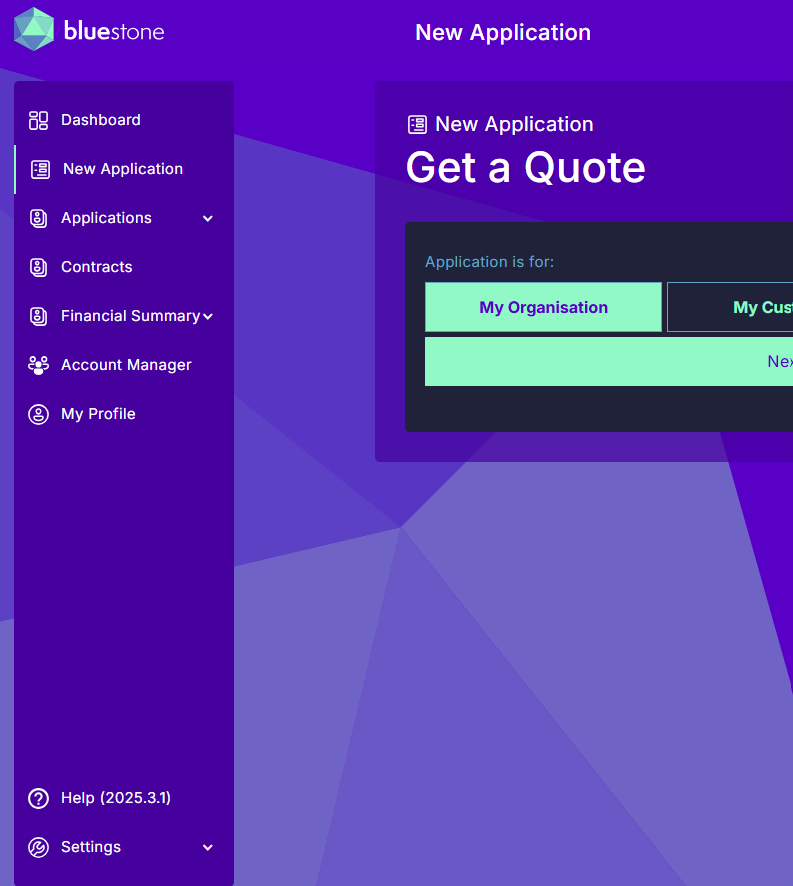
With your Bluestone Portal account, you'll be able to:
- Access quotes from a range of leading commercial lenders
- Compare funding options in one place
- Submit finance applications online
- Upload supporting documents securely
- Track the progress of applications through your dashboard
- Access funding for your business or help customers spread the cost of purchases
Our experienced finance professionals monitor every application submitted through the Bluestone Portal and help ensure the process runs as smoothly as possible.
If we spot anything that could delay an application, we'll work with you to resolve it quickly.
Need help using the Portal? Your dedicated account manager and internal support team can be contacted directly through your dashboard, and our Portal Help page contains user guides and hot-to videos.

We’ve partnered with leading UK lenders to offer finance via the Portal, meaning we’re connected directly with them to give the fastest quotes and payouts. The secret sauce? Our proprietary API technology matches your application with the lender that’s most suitable for your needs.
BS.202507.01FAQ107
We’ve partnered with a range of top UK lenders to offer finance via the Portal - our longstanding relationships with them means quotes and payouts are fast, and rates are industry-leading.
BS.202507.01FAQ111
In most cases, decisions will be made, and quotes will appear within your Portal Dashboard within minutes.
BS.202507.01FAQ108
You can amend an in-progress application via the Portal - or give our friendly team a call. They’re always available during business hours, and will be able to access your Portal account to see, amend or cancel your in-progress application.
BS.202507.01FAQ112
You can update all your account preferences in the My Preferences, Company Defaults, and Company Preferences sections once you're logged into the portal. You'll find these by clicking on the arrow next to your picture in the top-right hand side of the portal.
BS.202507.01FAQ109
If you're having trouble with the portal, send us an email at portal@bluestone.app, or contact your dedicated account manager who will be able to look into the issue asap.
BS.202507.01FAQ112
No, using the Bluestone is completely free, no strings attached!
BS.202507.01FAQ110
Yes, you could create various quotes. Please see the dedicated help video and guides here.
BS.202311.01FAQ18
Once finance documents have been raised and issued, you would be required to contact Bluestone’s dedicated support managers who can assist with any required amendments.
BS.202311.01FAQ50
To be able to view your colleagues’ applications you will require specific permissions set by Bluestone. Please contact your dedicated account manager to enquire.
BS.202311.01FAQ88
We know finance can be complex and often it's easier to talk things through. Drop us a message or give us a call 0330 135 8660 and we'll get back to you ASAP.



Our team are here for you, let us show you what we can do!
By filling out this form, you agree to the terms laid out in our privacy policy


.png)